
🌤️ This is a Minor Release
Release date: Feb 12, 2026
That means we focused on a few fixes and enhancements.
If you're unsure how to read the notes or how to make the most of YouLi, you can schedule a 1:1 Consulting session with one of our experts, and we will walk you through the features and best practices.
Focus Features in this Update:
🔢 Check that you have Link Enabled
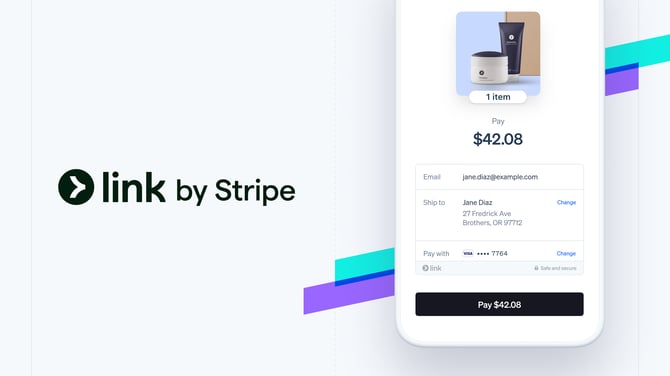
Think of link as a "saved card" for your Traveler across any website using Stripe (there are a lot). So even if they have never purchased from you, they can still use a saved card using "link by Stripe"
It's secure and easy and soooo many people are using it. It doesn't cost you more to use and it increases conversions.
So there's NO reason not to enable it!
✅ Check you've got it on ...YouLi enables Link by default for you now, so it should look like this when clicking PAY NOW from your Trip Checkout or Invoice: |
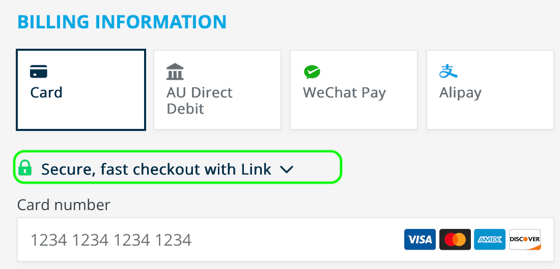 |
If you see the above, nothing more to do!
But some accounts were created before link, so...if you don't see Link as an option:
Follow these 3 steps to enable Link via Stripe
🔄 PRO and above: Zapier Action: Get Travelers by Trip
TIP: Use Zapier to automate your workflows between YouLi and the rest of your Tech Stack.
We've released a new Action via Zapier that allows you to get:
- All Travelers for a given TripID
- A Traveler for a given TripID (if you have the TravelerID - or InviteeID)
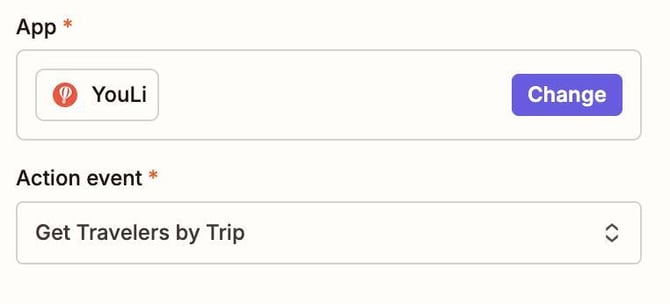
This returns all the Trip Metadata, booking information, payments and task responses for the specified Travelers.
Example Workflow:
- Stripe Payment comes through for a Sabre Flight Booking, with the TripID metadata but you need the Trip Tags to do the right things when creating your Accounting invoices in Xero
- Setup a Zap triggered on the Stripe Payment, then use 'Get Travelers by Trip' and pass the TripID, the response includes the Trip Tags you need
- Use those to create the Xero invoice so the revenue is accounted for correctly.
- Be a hero with your accounting team! 👏
Got an automation problem but need to talk it through with an expert?
🔄 SPONSORED: Affiliate Profile enhancements
- 💪#10797 - When using the new Affiliate Profile feature the Affiliate logo will now appear on the Checkout Flow header. Then upon booking, the Trip Owner logo will appear with the Affiliate logo (co-branded)
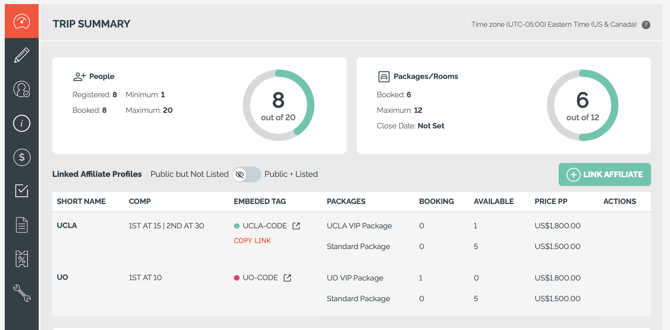
- 💪#10830 - Show a colored bullet next to the Affiliate Profile on the List View of the Trip Dashboard to indicate if that Affiliate is currently tagged so the trips will appear on their websites.
- 💪#10568 - You can now remove linked Affiliates from the Trip Summary table. Removing the linked affiliate profile will not remove existing bookings but will block new bookings from that Affiliate from being created.
- Can only remove the Affiliate if they do not have packages restricted to them
- 💪#10758 - When viewing the linked Affiliate Profiles on Trip Summary, quickly COPY LINK to share the booking link with your partner - or make a booking with that source.
✈️ SPONSORED: Flight Itinerary Updates for Flight Bookings
When using the Sky integration to integrate Flight Bookings from Sabre to YouLi, the descriptions with the details of the flight itinerary are now being updated whenever the PNR is updated in the Flight Booking and saved.
👏 Saving you time handling changes or making typos!
# 10829 - Thanks to Reho Study Tours for sponsoring
💪🐞 Bugs & Enhancements
- 🐞#10818 - Max people setting kept existing bookings from making a payment when the Trip was full. HOTFIXED!
- 🐞#10833 - Sending a message to people in Reservations caused errors. HOTFIXED! Thanks to Andrea and IJO for being an early adopter!
- 🐞#10819 - Package list shown after making an edit on the PRICING tab would only show the packages with inventory under the max. HOTFIXED!
- 🐞#10842 - For accounts configured for "Coupons applied per person", the coupons were only being applied to the group (since December). FIXED!
- 🐞#10673 - When paying separately, the surcharge is not shown split, so the message on the receipt now indicates that the amount is "excl surcharge" to be clear about why the amount is not the exact amount on the card.
- 🐞#10810 - Sort the rooms when managing Rooming Inventory (Sponsored feature)
- 🐞#10646 - Fixed bug on List View of Dashboard that showed the wrong count of Booked people when trip is in Bookings Mode with only registered people. It should now show 0 Booked in that case with a grey status bar.
- 💪#10813 - Overbooked people (Sponsored feature) will change the status bar to red on the List View of the Dashboard.
- 💪#10793 - Some label changes to be more clear:
Change from “Decline prompt (button & profile)” to: "Decline label (button & profile)"
This is the label that shows on the button when someone declines an invitation or waitlist. - 💪#10624 - Trip Summary only shows "Canceled" count, not both Canceled and Declined
🔜 COMING SOON
Not scheduled for this release, but we are working on more things coming soon.