
When adding or editing a Pricing Package, there is the option at the bottom to SHOW ADVANCED OPTIONS:
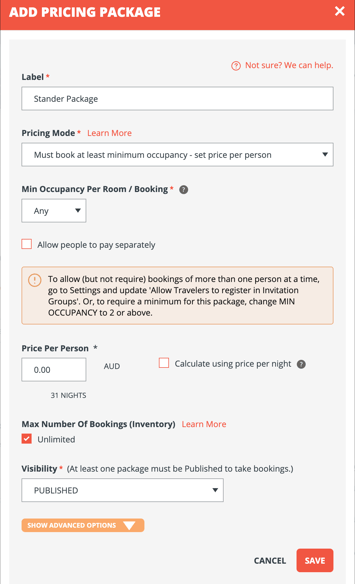
When that is clicked, there are a few options to consider:
- Category
- A powerful option to ensure Travelers see the right forms and itinerary immediately upon signup.
- Requires Traveler Category feature
- Description
- Sell the package with pictures, details and even embedded videos!
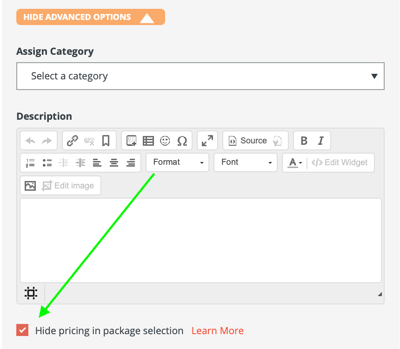
- Hide Package Pricing in Package Description and Selection Dropdown
-
You can hide the price (configured per package) shown in the selection drop down and package description when selected.
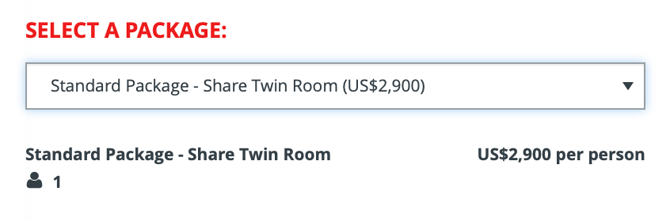
By default, the price is included in the dropdown and when selected, like this:
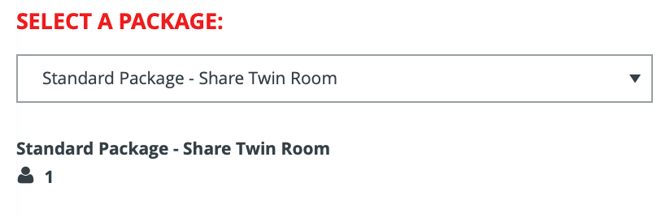
When you expand the SHOW ADVANCED OPTIONS and check the box for "Hide pricing in package selection"
Then the price will not show in the dropdown or selection, just on the invoice when they go to pay.
-
NOTE: The price will still show on the invoice and checkout.