⚠️IMPORTANT WARNING: What happens when your trial ends or is canceled?
-
Trip Archiving: Once your trial expires or is canceled, any active trips will be archived, and your Travelers will lose access to them.
-
Feature Disabling: Team Members and Trip Coordinators will be disabled.
-
White Label Domains: If you set up a custom domain during your trial, those links will stop working immediately upon account downgrade.
-
No Refunds: Please ensure you cancel before the trial period ends, as YouLi does not offer refunds once your card has been billed.
Steps to Cancel Your Trial
-
Log in to your YouLi account.
-
Navigate to Account -> Upgrade from your dashboard menu.
-
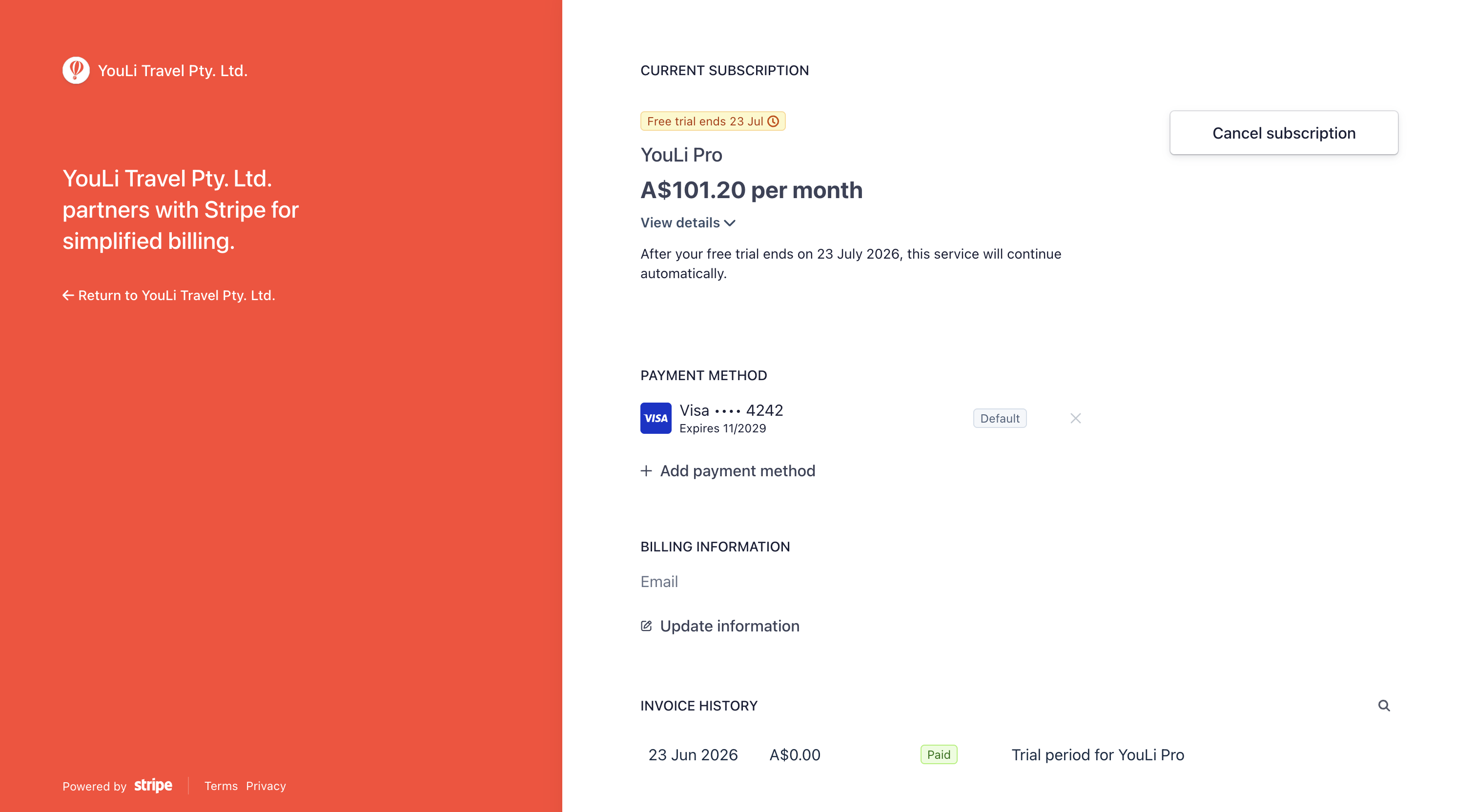
Find your current trial membership card and click the MANAGE BILLING button.

-
This will securely redirect you to our Customer Portal (powered by Stripe) where you can:
-
Click the Cancel subscription button to terminate the trial.
-
Update or remove your credit card information if needed.
-
-
Confirm your cancellation. Your trial features will remain active until the exact end date of your trial period.