
If your YouLi account is currently connected to Authorize.net and you'd like to switch to a different Authorize.net account, this change must be coordinated with the YouLi Support Team.
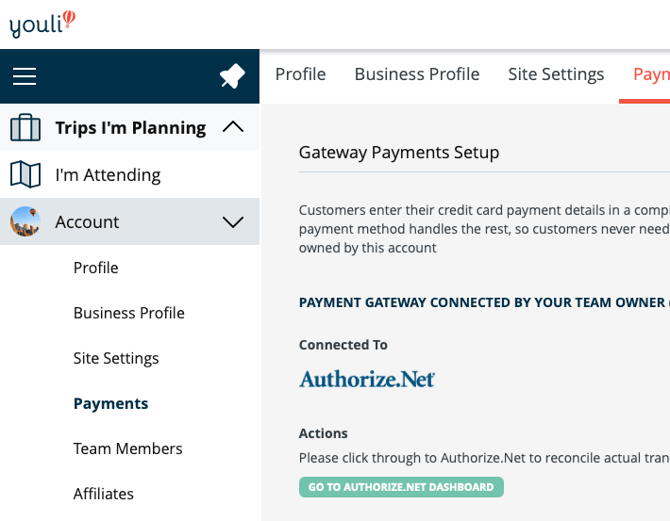
Because this involves payment processing credentials, we recommend scheduling a Support Call to ensure the transition is handled safely and without disrupting traveler payments.
Why a Support Call Is Required
Changing your Authorize.net account:
- Affects payment processing
- Impacts saved payment methods
- Can impact traveler checkout if not coordinated properly
To avoid any interruptions, our team will schedule the change at an appropriate time and confirm everything is working correctly.
What You'll Need
Please have the following credentials ready for your new Authorize.net account:
- API Login ID
- Transaction Key
- Client Key
These credentials are required to connect your new Authorize.net account to YouLi.
How to Share Credentials Securely
Because these are sensitive credentials, please do not send them via email or support tickets.
Instead:
- Have them ready during your scheduled Support Call
OR - Ask the YouLi team for a secure method to share them during the session
This helps keep your payment credentials secure.
Before You Schedule
We also recommend:
- Confirming no major payment deadlines are approaching
- Avoiding switching during active registration launches
- Notifying your team of the planned change
Schedule a Support Call
To proceed, please schedule a Support Call with the YouLi team:
Open a Support Ticket and provide your availability for the next 7 to 14 days as well as your timezone.
We'll coordinate the change and confirm everything is working properly.
What Happens After the Switch
Once updated:
- New payments will process through your new Authorize.net account
- Existing payment records will remain unchanged
- Your travelers can continue booking as normal